Table of Contents
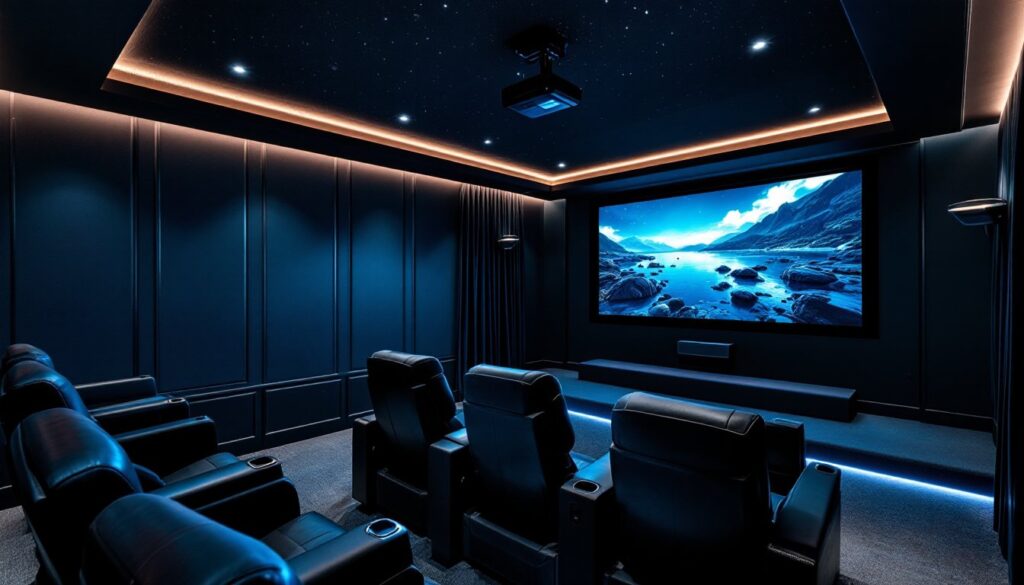
ToggleBuilding an IMAX home theater isn’t just about adding a bigger screen, it’s about recreating the impact that makes IMAX special: immersive scale, uncompressed imagery, and a viewing experience that transforms your living room into something genuinely cinematic. If you’ve sat in an IMAX theater and felt that sense of awe, you know the difference. The good news? That technology is now accessible to homeowners willing to plan carefully and invest smartly. This guide walks you through what makes IMAX different, how to plan your space, which equipment actually matters, and how to install it right for genuine theater-quality results.
Key Takeaways
- An IMAX home theater requires at least a 100-inch screen with a taller aspect ratio (1.43:1) to recreate the immersive, peripheral-vision-filling experience that defines IMAX technology.
- Your space needs precise planning around throw distance, light control (blackout curtains and dark paint are essential), and a rectangular room at least 15 feet long and 10 feet wide for authentic results.
- The four essential components—a 4K laser projector (2,500+ lumens), a quality projection screen with proper gain, a 7.1 surround receiver with Dolby Atmos, and professional-grade speakers—are non-negotiable for building a true IMAX home theater.
- Professional installation and calibration ($300–600 for calibration alone) prevent costly mistakes like misaligned projectors and color shifts that compound over hours of viewing.
- A solid IMAX home theater setup costs $8,000–$12,000 minimum, with the bulk invested in the projector ($3,000–$8,000), screen ($1,500–$4,000), and audio system ($2,000–$5,000).
- Optimal viewing distance is 1.5 to 2.5 times the screen width from your seats, so a 120-inch screen requires viewers 15–20 feet back to balance immersion with image clarity.
What Makes IMAX Technology Different From Standard Home Theater
IMAX in a theater setting relies on massive screen sizes (sometimes 8 stories tall), specialized film stock, and custom-built rooms with precise acoustic and optical properties. At home, you won’t replicate that exact experience, but you can capture the core principle: the aspect ratio and the level of visual detail that creates immersion.
The standard 16:9 widescreen ratio (what most movies and TVs use) shows less picture than the human eye naturally processes. IMAX formats use taller aspect ratios (typically 1.43:1, close to a square-ish shape) that fill more of your peripheral vision. That expanded vertical real estate is what tricks your brain into feeling enveloped by the image.
Another layer: IMAX film stock is captured on larger negative film, which means more visual information per frame. When you project that onto a home screen, you get cleaner upscaling, sharper detail, and less visible pixelation, especially critical when you’re sitting closer to your display.
Screen Size and Aspect Ratio: The IMAX Advantage
For a true IMAX feel at home, you’re aiming for a screen diagonal of at least 100 inches, though 120–130 inches is ideal for rooms where you can sit 12–15 feet from the screen. The viewing distance matters: if you’re too close, you’ll see pixels: too far, and you lose the immersive impact.
Aspect ratio is trickier. Most home projectors default to 16:9. To achieve IMAX’s taller image, you need either a projector that supports multiple aspect ratios (like specialty models certified for IMAX format) or a motorized screen that masks the sides to create the narrower width. Not every streaming service or Blu-ray uses IMAX aspect ratio, only titles specifically filmed or mastered for IMAX will deliver that full-height image.
Planning Your IMAX Home Theater Setup
Before you order equipment, measure and evaluate your space. You’re looking for a room (or area of a larger room) that’s roughly rectangular, 15 feet long and at least 10 feet wide. Basements, spare bedrooms, and finished garages work well because you control light and sound.
Throw distance is your first constraint. Projectors are rated by throw ratio, the distance from the lens to the screen divided by the screen width. A 2.0 throw ratio projector sitting 20 feet from a 100-inch screen will hit the mark: a shorter throw projector might work in a tighter space. Measure your actual setup before buying, there’s no standard living room.
Light control is non-negotiable. IMAX presentations are shown in lightless rooms for a reason: even a small window or ceiling fixture kills contrast and color punch. Plan for blackout curtains, light-blocking paint on walls (flat black or dark gray, not glossy), and embedded lighting that doesn’t aim at the screen.
Acoustics matter too, though less dramatically than visuals. IMAX theaters use sophisticated surround systems, but a good 7.1 or 5.1 setup with a quality center channel and rear surrounds in your home will give you directional, punchy sound. Don’t skimp on the center channel, dialogue clarity depends on it.
Essential Equipment and Technology You’ll Need
You need four pillars: a projector, a screen, a receiver, and speakers. Skip any and you’re building a compromise, not an IMAX experience.
Projector: Look for a 4K laser projector or high-end DLP/3LCD model with at least 2,500 lumens brightness. Laser projectors hold color and brightness better than lamps, which fade over 2,000–3,000 hours. Certifications matter, some projectors are IMAX-certified, meaning they’ve been tested and tuned to IMAX standards. The XGIMI Horizon Max, the, exemplifies what purpose-built IMAX home equipment looks like.
Screen: Invest in a fixed or motorized screen, not a white wall. A proper projection surface has gain (reflectivity) that bounces light back to viewers while minimizing bounce-back from the sides. Matte white screens work if you sit directly in front: if viewers sit off-axis, a higher-gain surface (1.3–1.5 gain) preserves image brightness across angles.
Audio: A 7.1 surround receiver with Dolby Atmos support, a quality center channel speaker (critical for dialogue), and rear surrounds. Subwoofers aren’t optional, low-end impact is part of IMAX’s signature. A 12–15-inch subwoofer minimum in a room this size.
Source equipment: A 4K-capable media player (Blu-ray, streaming device, or gaming console), quality cabling, and depending on your setup, possibly a video processor to upscale content and manage aspect ratios.
Installation Tips for Optimal Viewing Performance
Installation is where most DIYers stumble. A projector 3 inches off-center looks fine until you’re in a dark room for two hours: then the keystoning and color shift become maddening.
Mount the projector true and level. Use a sturdy ceiling mount rated for the projector’s weight (usually 15–25 pounds). A projector on a cart or shelf shifts when air conditioning kicks on. Align it using a level tool, and check that the image lands square on the screen, no skew, no trapezoid distortion. If the projector has keystone correction (digital angle-fixing), use it minimally: it degrades image quality. Mechanical alignment is always better.
Calibrate before you finish. Hire a professional calibrator for $300–600, or use a calibration disc (like Spears & Munsil HD Benchmark) and follow guides on your projector’s color, brightness, and contrast settings. IMAX-certified projectors often arrive pre-calibrated, which saves time.
Plan cable runs early. Run shielded HDMI cables (not standard ones) from your equipment rack to the projector, and from receivers to speakers. Keep cables away from power lines to avoid hum. If you’re running cables through walls, use in-wall-rated cable and conduit.
Treat the room. Acoustic panels on sidewalls (especially behind the screen and at the first reflection points) reduce flutter and echo. Rigid fiberglass panels (2–4 inches thick) absorb mid and high frequencies: bass traps in corners handle low-end rumble. You don’t need a fully treated studio, just enough to tame reflections.
Budgeting and Design Considerations for Your Home IMAX
A solid home IMAX setup starts around $8,000–$12,000 and scales up from there. Here’s a rough breakdown:
- Projector: $3,000–$8,000+ (IMAX-certified models cost more, but deliver certified performance)
- Screen: $1,500–$4,000 (motorized 120-inch screens are pricier than fixed ones)
- Audio system: $2,000–$5,000 (receiver, center channel, surrounds, subwoofer)
- Installation and calibration: $1,000–$2,000
- Cabling, mounting, acoustic treatment: $500–$1,500
These are midpoint estimates: pricing varies by region, material costs, and whether you install yourself or hire help. A licensed electrician is wise if you’re running dedicated circuits (recommend a 20-amp circuit for the projector, another for audio). That’s often $200–$500 depending on your home’s wiring.
Design-wise, think about viewing angles and room furniture layout before installation. The screen should be at eye level when seated, not mounted too high (common mistake). Seats should be 1.5 to 2.5 times the screen width away, so a 120-inch screen needs viewers roughly 15–20 feet back. Popular Mechanics offers home improvement guidance for integrating A/V equipment into room renovation plans without gutting your space.
Consider a tiered seating setup if you have depth. The front row sits lower, back row elevated, so no one’s head blocks another viewer. This requires structural framing (lumber for platforms) and building code compliance, check local IRC codes for platform height and handrail requirements if seating is more than 30 inches above the floor.
Integration with smart home systems (lighting control, motorized shades, HVAC) is optional but adds convenience. Digital Trends covers smart home technology and can help guide whole-home automation decisions if you’re considering that layer.
Conclusion
An IMAX home theater is achievable without a Hollywood budget or professional credentials. What it demands is patience during planning, no shortcuts on the core four components (projector, screen, receiver, speakers), and honest assessment of your space. Start with a solid foundation, correct throw distance, light control, good audio, and you’ll feel the difference the first time you sit down. The rest is tuning and living with your investment.